


SkimGuard RFID Blocking Card with QR Code images
SkimGuard RFID Blocking Card with QR Code
Price:
CHF 17.11
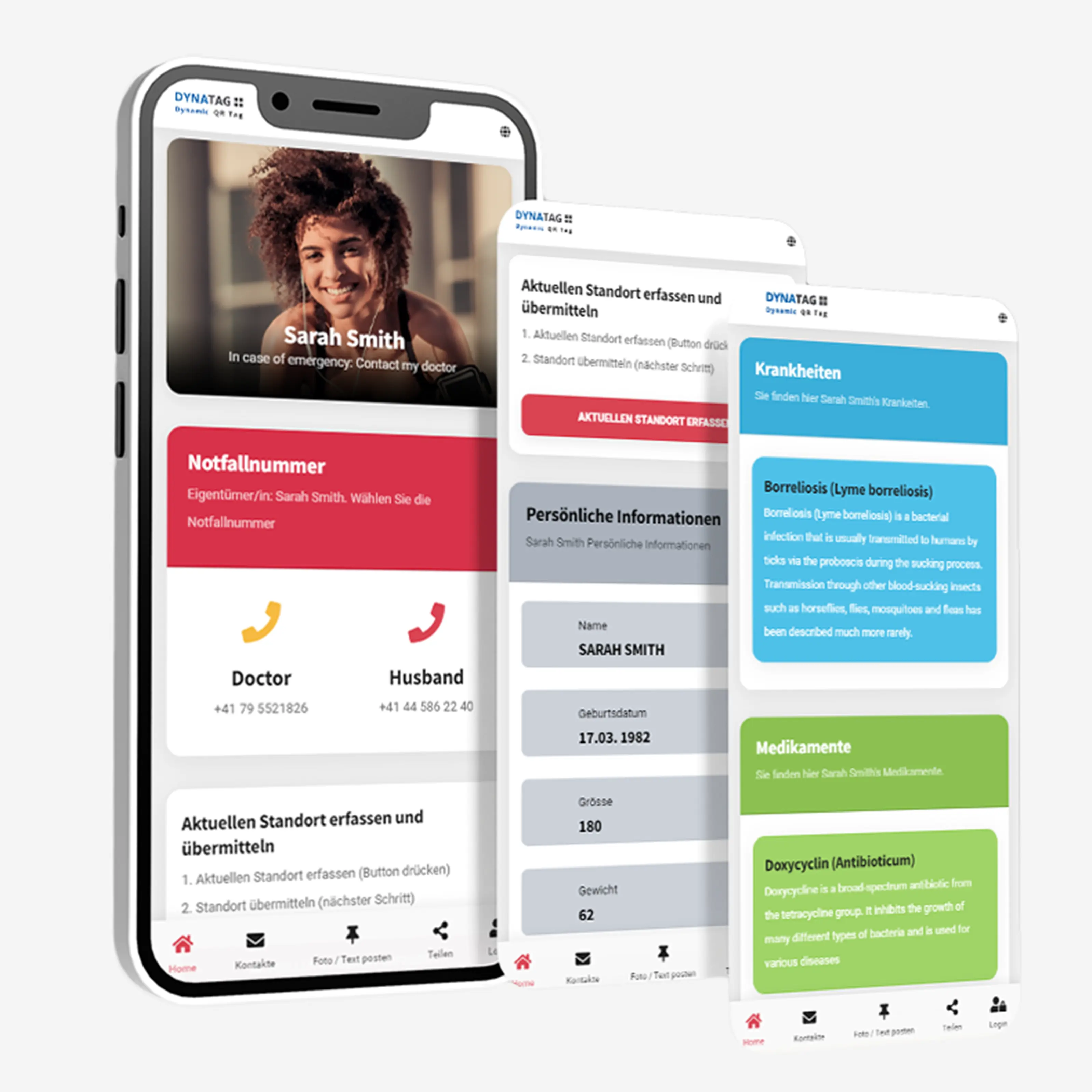
SOS SkimGuard card with QR code offers protection against unwanted contactless reading of bank and credit cards while providing quick access to the emergency contacts, health details and SOS information you choose to share. It fits in your wallet and is useful every day and when travelling. Simply scan the QR code with a smartphone – no app required.
- RFID and SkimGuard protection: Helps protect bank and credit cards against unwanted contactless reading.
- QR code with SOS WebApp: View shared emergency contacts, health details and notes directly in a browser.
- Faster identification: Personal details can help first responders identify someone in an emergency.
- Optional location sharing: The person scanning the code can voluntarily send their current location to your emergency contacts.
- Swiss data platform: Store, manage and update your SOS details securely in Switzerland.
- No app required: Access through a smartphone browser, with no monthly fees.
Two functions in one card.
The SOS SkimGuard card combines additional payment card protection with a digital SOS WebApp for emergencies.
The SOS SkimGuard card combines additional payment card protection with a digital SOS WebApp for emergencies.
SkimGuard SOS Card with QR Code
RFID Card protection and a digital emergency function in one card
The SkimGuard SOS Card combines two practical functions in a credit card-sized format: passive shielding for contactless bank and credit cards and a digital SOS card for important emergency information.
The card’s special material is designed to interfere with communication between contactless payment cards and unauthorised readers. When placed close to the payment cards, the SkimGuard Card can reduce the risk of unwanted contactless scanning.
The individual QR code allows helpers to access approved emergency contacts, health information and personal notes directly in their smartphone browser – without installing an app or creating an account.
- Passive shielding for contactless payment cards
- Individual QR code scannable with any smartphone
- Quick access to emergency contacts and health information
- Writing field for important basic details
- Data stored exclusively in Switzerland
- 5 years of use included – no subscription

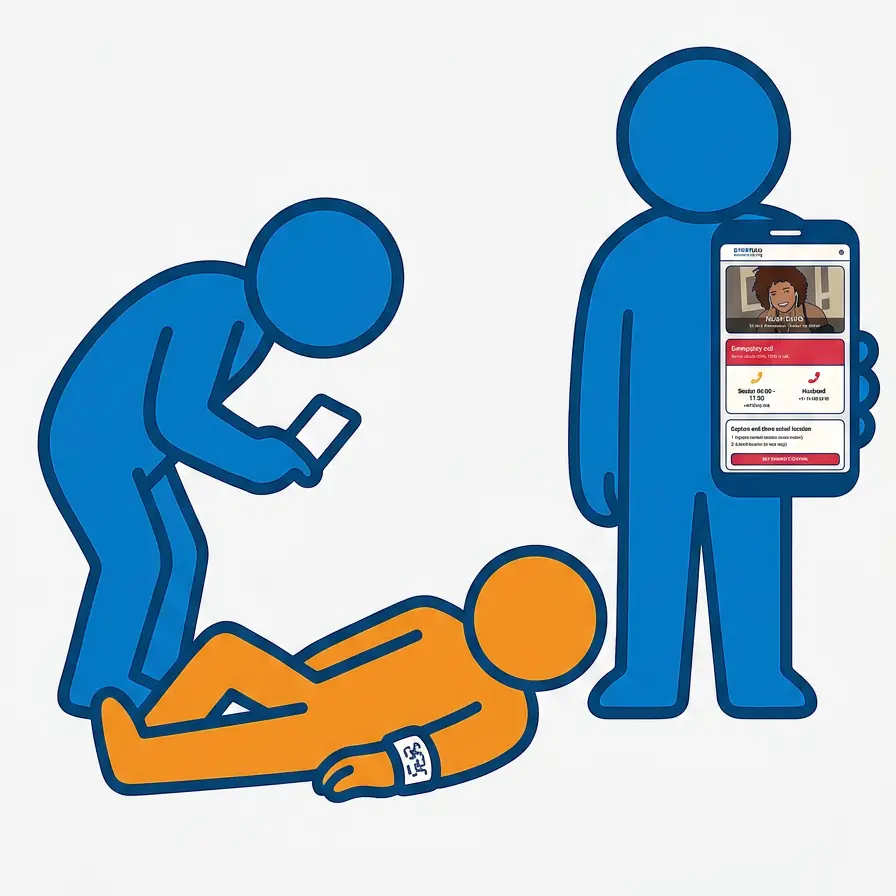
Two protective functions combined
The key functions at a glance
The card combines protection for contactless payment cards with quickly accessible digital SOS information.

Card protection and SOS function
The passive SkimGuard shielding and the individual QR code combine card protection and digital emergency information in one product.

Health information
Allergies, medication, medical conditions, vaccinations and medical notes can be presented clearly for an emergency.

Contact and voluntary location sharing
Helpers can contact approved contacts directly and, if necessary, voluntarily share their current location.

Swiss data platform
The approved information is stored exclusively in Switzerland. The card is not a tracker and does not record location data in the background.
Who is the SkimGuard SOS Card suitable for?
The card is suitable for people who want to keep important emergency information readily available in their wallet while adding protection for contactless payment cards.
Older people and those living alone
Make emergency contacts, medication and personal notes quickly accessible.
People with medical conditions
Helpful for allergies, diabetes, epilepsy, cardiovascular conditions or long-term medication.
Travellers and active people
Keep important information available in the event of a medical emergency, accident or injury while away from home.
Children and people requiring assistance
Support for school trips, care situations, dementia, disorientation or an increased need for assistance.
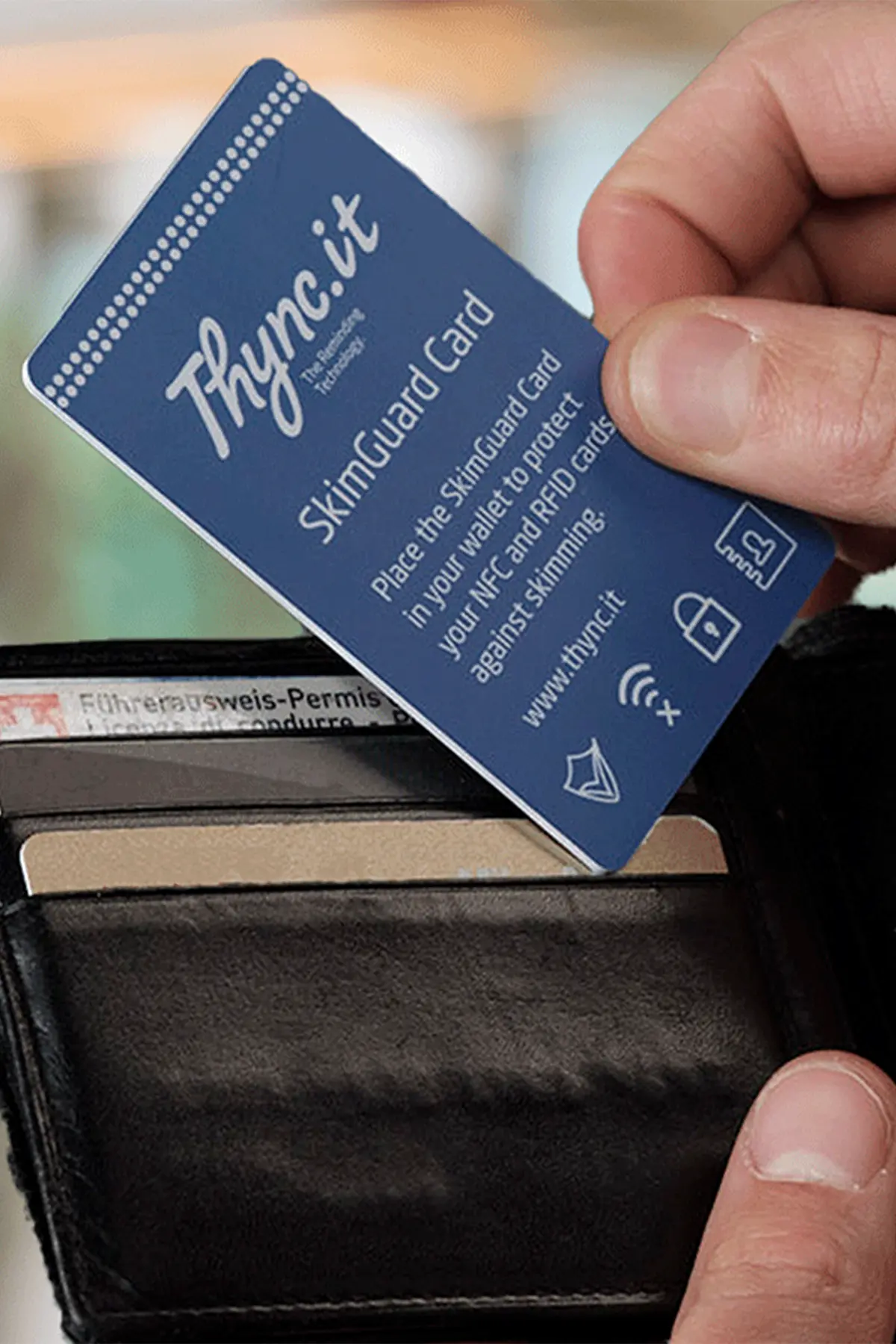
Passive shielding function
Additional protection for contactless payment cards
Contactless bank and credit cards communicate with compatible readers via radio signals. The special material of the SkimGuard SOS Card is designed to interfere with this communication at close range.
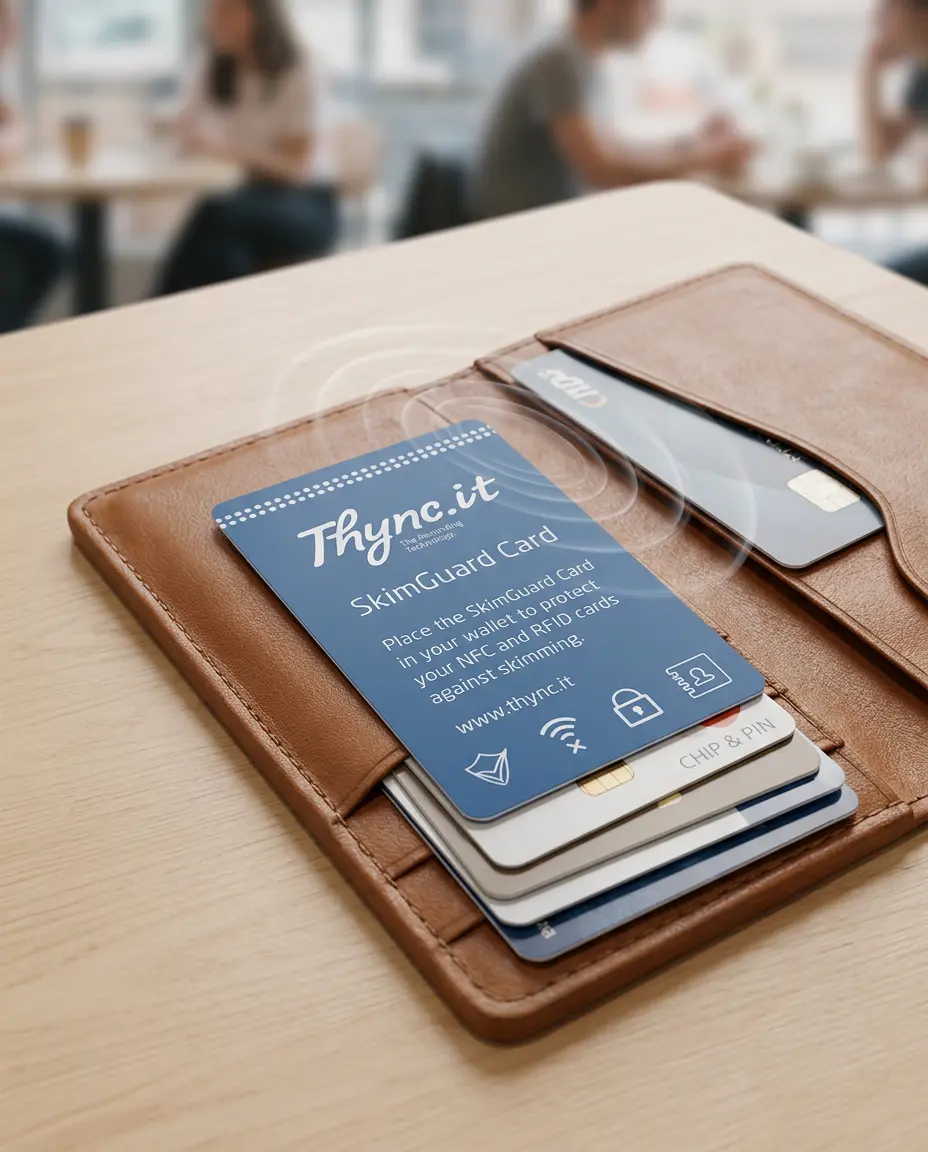
The card is kept in the wallet or card holder together with the payment cards to be protected. The protective function is passive and requires neither activation nor a battery.
- Suitable for contactless bank and credit cards
- Can make unwanted contactless scanning more difficult
- Place close to the cards you want to protect
- For wallets, card holders and handbags
- No battery or charging required
Digital SkimGuard SOS Card compared
The key differences compared with a simple, manually completed emergency card.
| Function | SkimGuard SOS Card QR code and SkimGuard |
Simple emergency card manually completed |
|---|---|---|
| Emergency contacts | Manage multiple contacts online | Limited by the available space |
| Health information | Extensive and clearly accessible | Only a few lines of text available |
| Updating information | Possible online at any time | Handwritten change or new card required |
| Contact and location | Direct contact and voluntary location sharing | Contact only via printed details |
| SkimGuard shielding function | Integrated | Normally not included |
| Photos and messages | Available via the digital pinboard | Not possible |
| Data storage | Exclusively in Switzerland | No digital data storage |
| Period of use | 5 years included without a subscription | No digital function |
| Basic details on the card | Additional writing field | Possible depending on the design |
No app installation
DynaTag SOS WebApp – directly in your browser
After scanning the QR code, the personal SOS page opens directly in the smartphone browser. Helpers need neither an app nor an account.
You decide what is visible
All content can be updated at any time through your personal account. You decide which information helpers are allowed to see after a scan.
- Name, personal details and profile picture
- Emergency contacts with telephone numbers
- Allergies, medication and dosages
- Medical conditions, medical history and vaccination notes
- Important notes for first responders and emergency services
Contacts, location and pinboard
Approved contacts can be called directly from the SOS page. Additional practical functions are available for communication in an emergency.
- Multiple contacts possible
- Voluntary sharing of the current location
- Photos and text messages via the digital pinboard
- No registration required for helpers
- No tracking or collection of movement data
WebApp on a smartphone

Test the QR code live

Digital emergency view
Compact and practical for everyday use
Durable card with an additional writing field
The credit card-sized SkimGuard SOS Card fits in virtually any wallet or card holder. Important basic information can also be written by hand on the back.
The digital information is not stored on the card itself. After the QR code is scanned, it is securely retrieved from the Swiss DynaTag platform and can be updated at any time.
- Practical credit card-sized format
- Durable design for everyday use and travel
- Writing field for important basic information
- Individual QR code for the digital SOS page
- No electronics, battery or charging

Important: An active internet connection is required to access digital emergency information, contacts and messages. The card is not a GPS tracker; location is shared only voluntarily and with the explicit consent of the person scanning the card. The SkimGuard function is a passive shielding aid and does not guarantee protection against every form of card misuse. For the best possible effect, place the card close to the bank and credit cards you want to protect. The stored information is maintained by the user and does not replace official medical documents. Instructions & Accessories
Instructions, care and replacement
User guide and help
You can open the complete online user guide directly in the DynaTag WebApp. It provides help with activation, managing your information and using the SkimGuard SOS Card.
Click to enlarge
Ready to use in four steps
Activate the card, enter your personal information and carry it correctly in everyday life.
1. Activate the card
Scan the QR code, open the WebApp and link the card to your account.
2. Enter your information
Add emergency contacts, health information and personal SOS notes.
3. Carry the card
Write down the basic information and place the card where it is clearly visible alongside your payment cards.
4. Keep information up to date
Regularly check contact details, medication, allergies and other important information.
Optional quick access
Save the WebApp to your Home Screen
This gives you direct access to your account later without scanning the QR code again.
Android
Open the WebApp in your browser, open the browser menu and select “Add to Home screen”.
iPhone and iPad
Open the WebApp in Safari, tap the Share icon and select “Add to Home Screen”.
Ready to hand every day
Position the SkimGuard SOS Card correctly
Carry the card where it is clearly visible in your wallet or card holder. For the best possible shielding effect, it should be close to your contactless bank and credit cards.
- Keep the QR code facing outwards and clearly visible
- Write important basic information on the back
- Place the SkimGuard Card close to the payment cards
- Regularly check that the QR code is readable
Note: The shielding effect can be influenced by the position, number and arrangement of the cards and by the reader being used.
Clearly readable for longer
Cleaning and care
If necessary, clean the card carefully with a soft, slightly damp cloth. Protect the QR code in particular from scratches and heavy wear.
- Do not fold, cut or bend sharply
- Do not use aggressive cleaning agents or solvents
- Do not clean in a washing machine
- Avoid contact with sharp objects

Your information is retained
Replacement card in case of loss or damage
If the card is damaged or lost, or if the QR code is no longer reliably readable, our customer service team will help you find the right replacement solution.
Continue using your existing SOS page
A replacement card can be linked to your existing digital SOS page. Your stored information is retained and does not need to be entered again.
Request a replacement card
Tell customer service whether the original card has been lost or damaged, or whether the QR code has become unreadable. We will explain the next steps.
Request a replacement card Videos Videos
The SkimGuard SOS Card in the video
Card protection, QR code and digital SOS functions explained concisely.
SkimGuard SOS Card with QR Code
An overview of the key functions and use of the RFID protection card with a digital SOS page.
Frequently Asked Questions – FAQ Frequently Asked Questions
FAQ about the SkimGuard SOS Card with QR Code
Answers about shielding effectiveness, correct positioning, the digital SOS function, data management and costs.
How does the SkimGuard SOS Card work?
The card combines two functions: Its passive shielding material can make unauthorised contactless scanning of nearby bank and credit cards more difficult. It requires neither a battery nor activation.
In addition, the unique QR code leads to your personal DynaTag SOS WebApp. The emergency contacts, health information and important notes you have chosen to share can be displayed directly in the browser.
Does SkimGuard guarantee complete protection against contactless scanning?
No. SkimGuard is a passive shielding aid and does not guarantee protection against every form of contactless scanning or every unauthorised transaction.
Its actual effectiveness depends, among other things, on the position, number and arrangement of the cards and on the reader used. You should therefore continue to check your card statements regularly.
How should the SkimGuard Card be positioned?
Place the card in your wallet, card holder or handbag as close as possible to the bank and credit cards you wish to protect.
If you carry several payment cards, their specific arrangement can affect the shielding effectiveness. At the same time, the QR code should remain clearly visible and legible.
Does the card need to be charged or use batteries?
No. The SkimGuard SOS Card works without a rechargeable battery, disposable battery or electronic power supply and does not need to be charged.
However, the smartphone scanning the card needs an active internet connection to open the digital SOS page.
What information can be displayed via the QR code?
You decide which information is visible after scanning. Depending on your configuration, this may include:
- Emergency contacts with telephone numbers
- Personal details and profile photo
- Allergies, medication and health information
- Important notes for first responders or emergency services
- Digital pinboard for photos and messages
Can I update or delete my information myself?
Yes. Through your personal user account, you can change, add or delete contacts, health information, images and notes at any time.
You can manage your information using a smartphone, tablet or computer. The QR code on the card remains unchanged.
Is the SkimGuard SOS Card a GPS tracker?
No. The card does not have GPS and does not continuously record or transmit a location.
Only the person scanning the QR code can voluntarily share their own current location. To do so, they must actively select the function and give their explicit consent.
Are there any ongoing costs or a subscription?
No. The purchase price includes 5 years of use of the DynaTag platform. There are no monthly fees and no mandatory subscription.
Once the included usage period has ended, access can be extended if required for a one-off renewal fee.
What happens if the card is lost or damaged?
Your emergency data is not stored on the card, but remains on the Swiss DynaTag platform.
If the card is lost or damaged, or if the QR code becomes illegible, you can request a replacement card with the same QR code. Your existing SOS page and stored data can continue to be used.
Customer Reviews
-
Brand

-
ReferenceTPCA-003A1
-
In stock100 Items
-
ConditionNew
-
EAN134270000462474
-
MPNTPCA-003A1
-
ColorsBlue
-
MaterialPVC – Polyvinyl Chloride
-
Storage Capacity10MB
-
Storage Duration5 Years
-
WebApp TypSOS
-
Item NumberTPCA-0003A1
-
EAN Code4270000462474
 Lieferbedingungen
(bearbeiten im Modul "Kundenvorteile")
 Sicherheitsrichtlinien
(bearbeiten im Modul "Kundenvorteile")
 Rückgabebedingungen
(bearbeiten im Modul "Kundenvorteile")
You might also like

